I designed an AI layout builder whose output stays editable
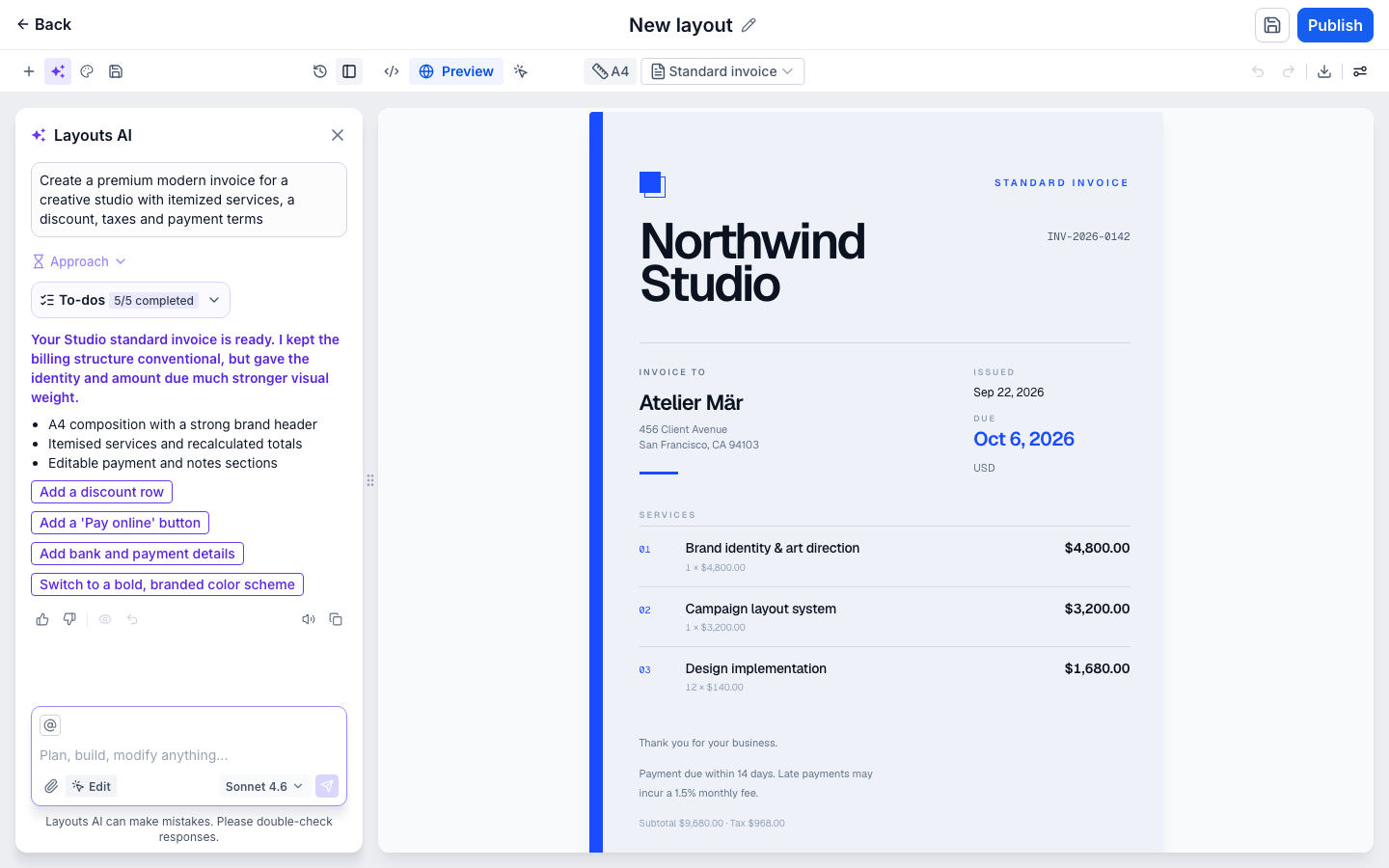
A prompt, optionally paired with a visual reference, becomes a structured invoice with selectable regions — ready to correct, brand, version and inspect in synchronized HTML.
Built for HighLevel agencies and merchants creating invoices and estimates. The hypothesis is that they should be able to keep shaping a generated document without regenerating decisions they have already approved.
- Company
- HighLevel
- Role
- Senior product designer + design engineering
- Team
- 1 product designer · 1 product manager · 4 SDE · 3 SDET
- Scope
- Region model · scoped editing · intent clarification · brand · version history · code handoff
- Status
- Live interactive prototype · not yet launched · next milestone HighLevel Labs at HighLevel LevelUp
01 / The problem
Why the document had to become adaptable
More choice did not make a fixed layout fit every business.
The real product began after the first result appeared.
The problem
More templates still could not fit every business
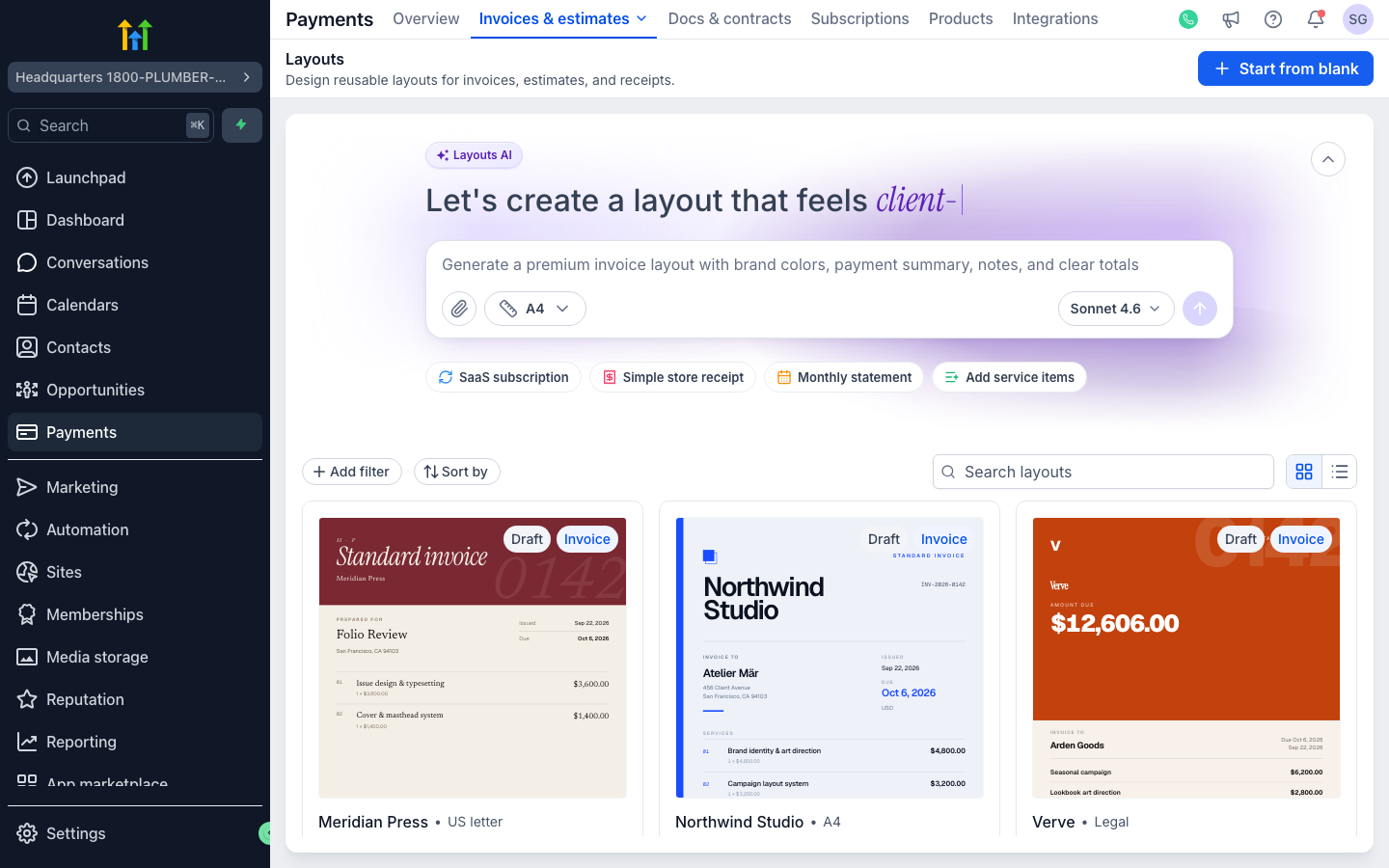
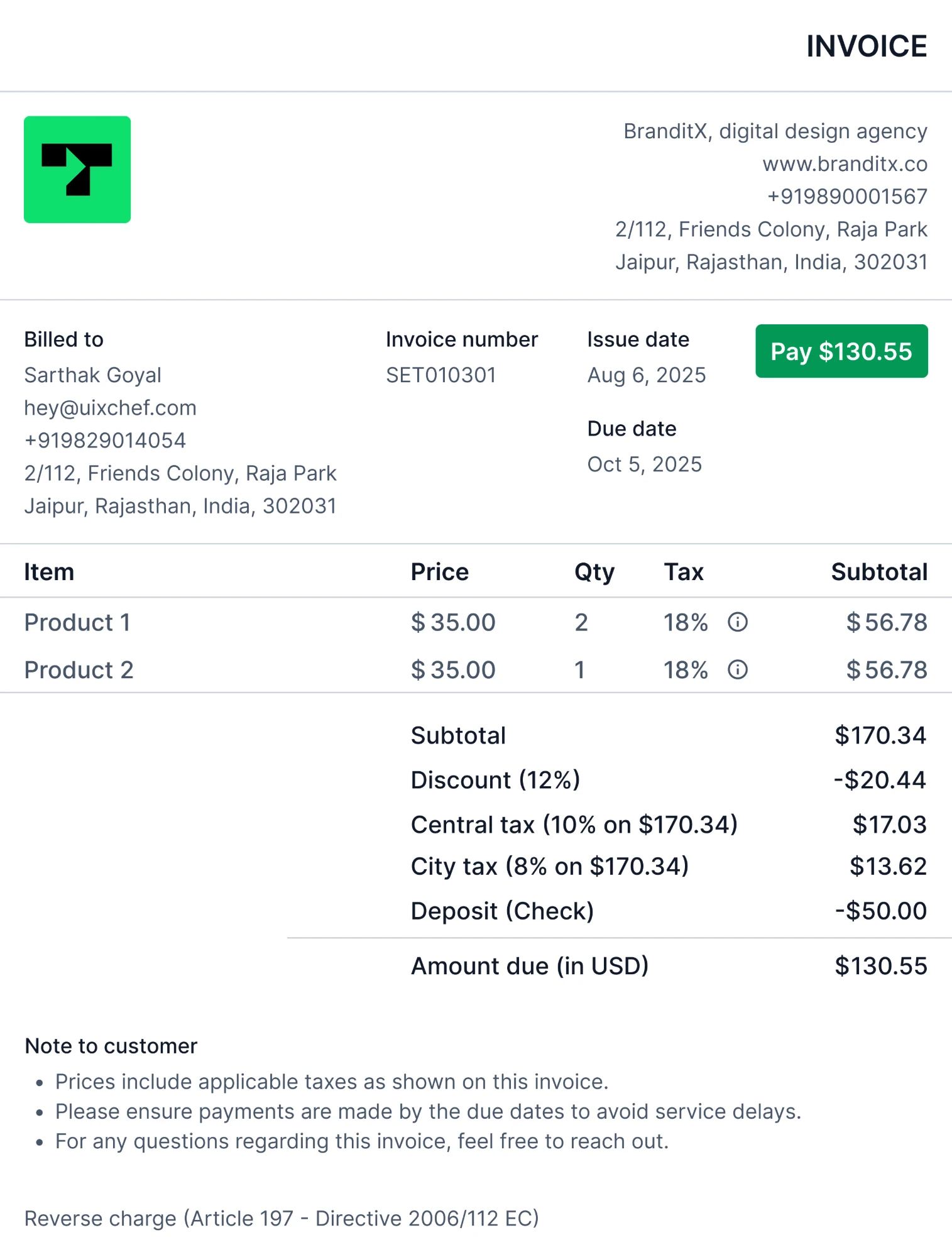
For a long time, HighLevel offered one default invoice layout. A later update added a second predefined option. That gave agencies and merchants more choice, but the document still had to fit a small set of fixed decisions about brand, hierarchy, structure and page proportions.
A business might need different fields, wider descriptions, another section, a different document size, or a starting point based on an invoice or estimate it already uses.
The limitation was also visible publicly. A request for custom invoice layouts had received more than 700 upvotes and was marked Planned when reviewed. The original proposal described uploading a PDF and positioning dynamic fields, while comments asked for control over columns, placeholders, document information and logo placement.
Public demand signal · HighLevel Ideas Board, “Custom Invoice Layouts” · 700+ upvotes · Planned when reviewed
Layouts AI began with a broader question: what if someone could describe — or show — the document they needed and receive a native layout they could continue shaping?
The problem wasn’t the first render. It was the second edit
Generating a compelling first layout was only the beginning. The real test came after someone accepted the result and needed to correct a client name, add more details, restructure a section, apply their brand, change the document dimensions or hand the layout to a developer.
If every correction triggered another generation, decisions the user had already approved became disposable.
I did not treat editability alone as the differentiator. The harder problem was holding one authoritative document model together while work moved through scoped edits, brand, history and code.
Invoices and estimates were the right thing to stress: the structure repeats, but what sits inside it is a client’s name and what they owe. Nothing in that is allowed to drift.
So the output could not be a picture of a document. It had to be the document itself — structured into stable regions that content editing, styling, brand, history and code could all address consistently.
The edit lands in one region. Nothing else on the approved document is regenerated to accommodate it.
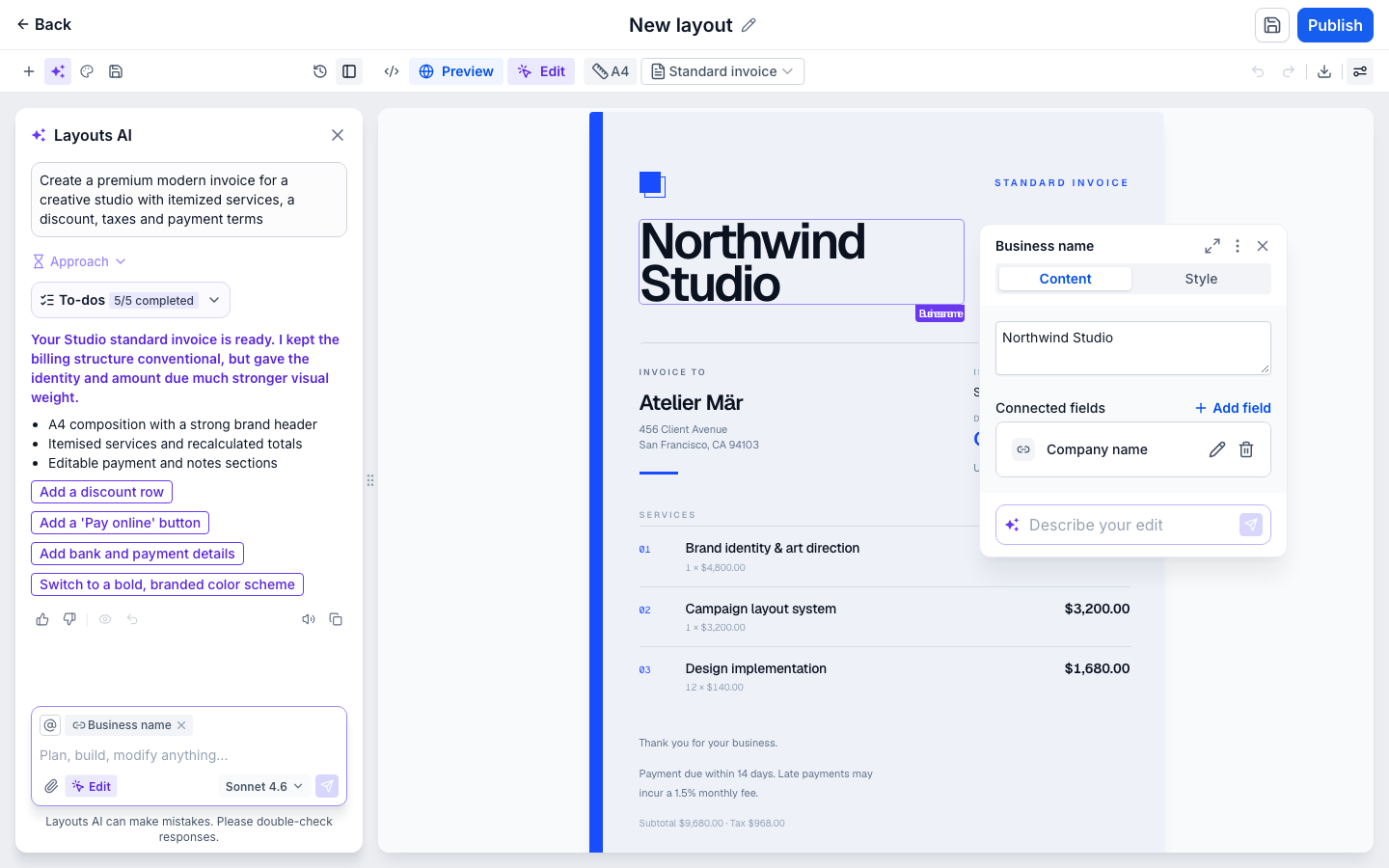
Selecting a region opens an editor scoped to it. Content and Style sit on separate tabs, so correcting text cannot accidentally restyle the region.
The core
Generate regions, not a flattened image
The answer was not a larger library of fixed templates. Each part of the invoice became a stable region: the business name, billing block, service rows, totals and payment terms.
That identity keeps edits local. Changing a client name does not touch the totals; restyling a heading does not repaint the document; inserting a section does not regenerate the page.
The document is extended in place. It keeps its brand, its history and the structure already agreed.
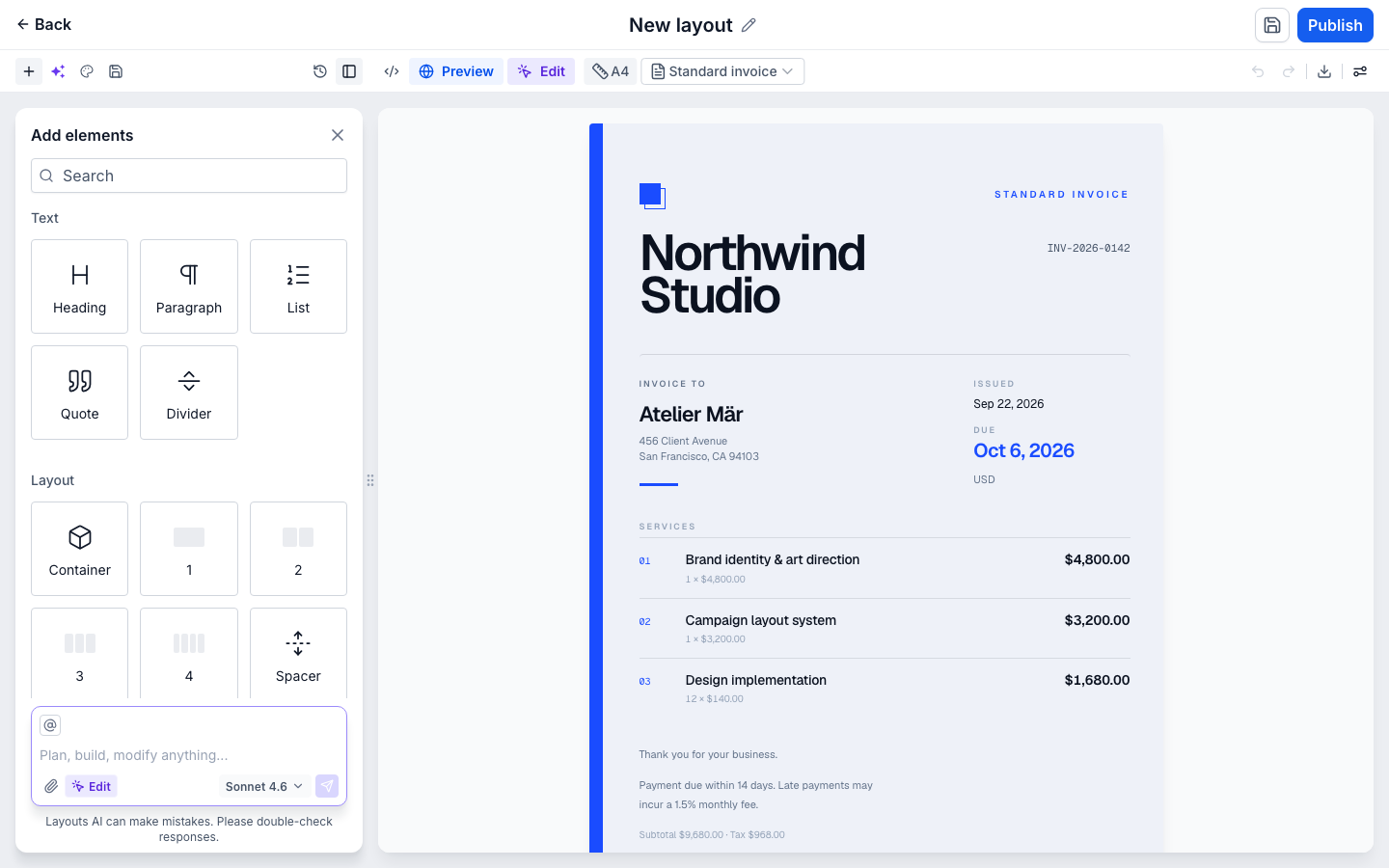
The palette opens beside the document, so the insertion point stays visible while a primitive is chosen from a constrained set the document already knows how to represent.
Every primitive in the palette is one the document already knows how to hold, which is what keeps an insertion from becoming a regeneration.
02 / Intent
Settling the intent before the document exists
A generated document inherits every assumption behind it.
So the assumptions are made explicit first.
Intent before output
Make intent explicit before generating
Not every request arrives with the same level of certainty. A detailed prompt can move straight into a document; a vague one becomes a short clarification sequence first.
The point was not to extend the conversation. Asking costs the person a moment; guessing costs them the document, so only genuine ambiguity is worth interrupting for.
An under-specified request becomes an explicit choice before generation. Answering releases Continue, and the assistant carries that answer into its plan rather than guessing at it.
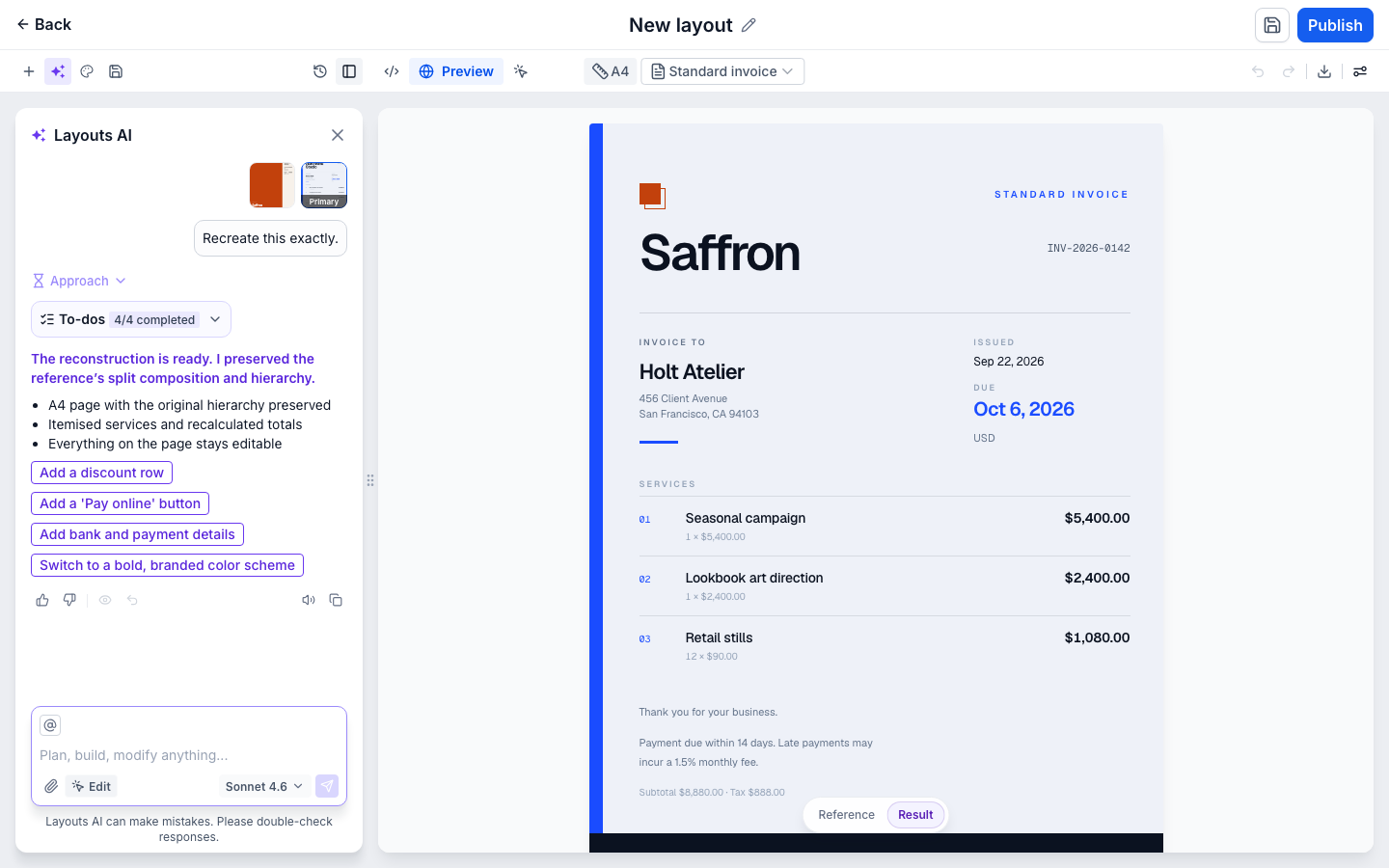
The reference decides the composition the document is built in. It does not supply the copy.
03 / Control
Control after the document exists
Brand, history and code all act on the same document.
Each one names the state it leaves behind.
Brand as paint
Change the brand without changing the document
A Brand Board changes the visual tokens applied to the document — not its content, family or region identity.
Preview keeps the change provisional, so a treatment can be tried on the real document before anything is committed to it.
Cancel returns the document. Apply commits the treatment and records another version.
Folio editorial remains a draft until Apply.
Treating brand as paint rather than a fresh generation is what keeps changing your mind cheap.
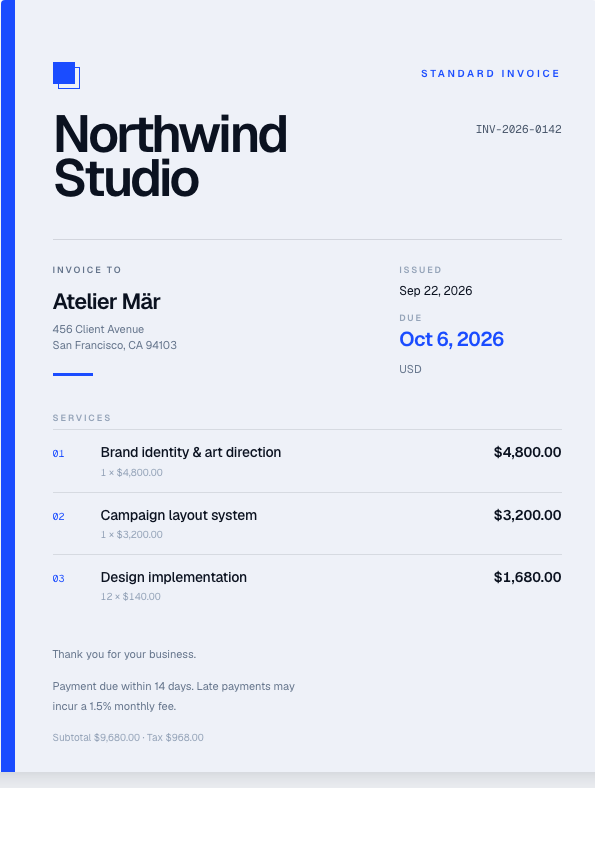
As generated
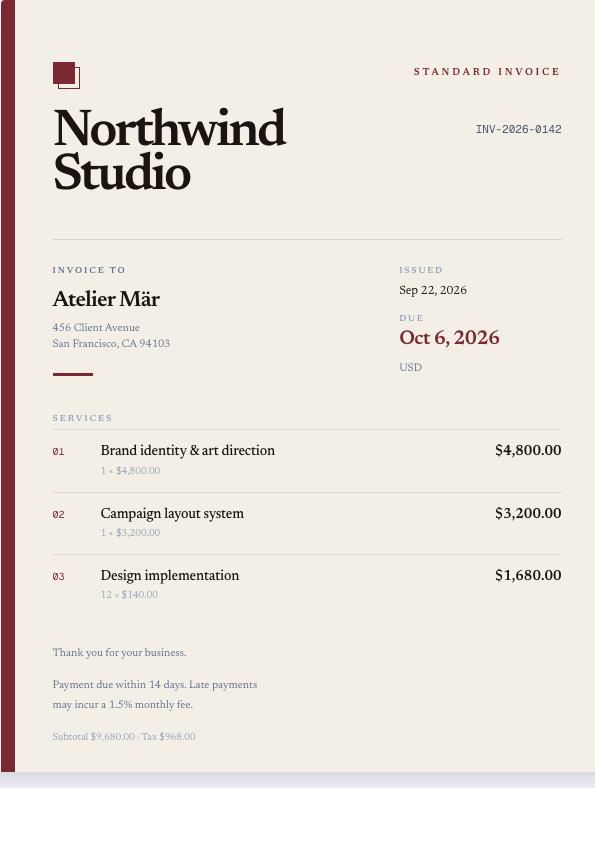
Folio editorial applied
The same invoice, before and after the brand is applied: identical content, identical regions, identical order — a different typographic and colour treatment.
Reversibility
The costliest changes needed an explicit way back
The document keeps an append-only version history. Earlier states can be previewed without replacing the current document.
Returning is explicit: leave the preview, or restore a chosen version. The current state never has to be inferred from the screen around it.
Append-only was the conservative choice: a history that rewrites itself is smaller and harder to trust than one that only grows.
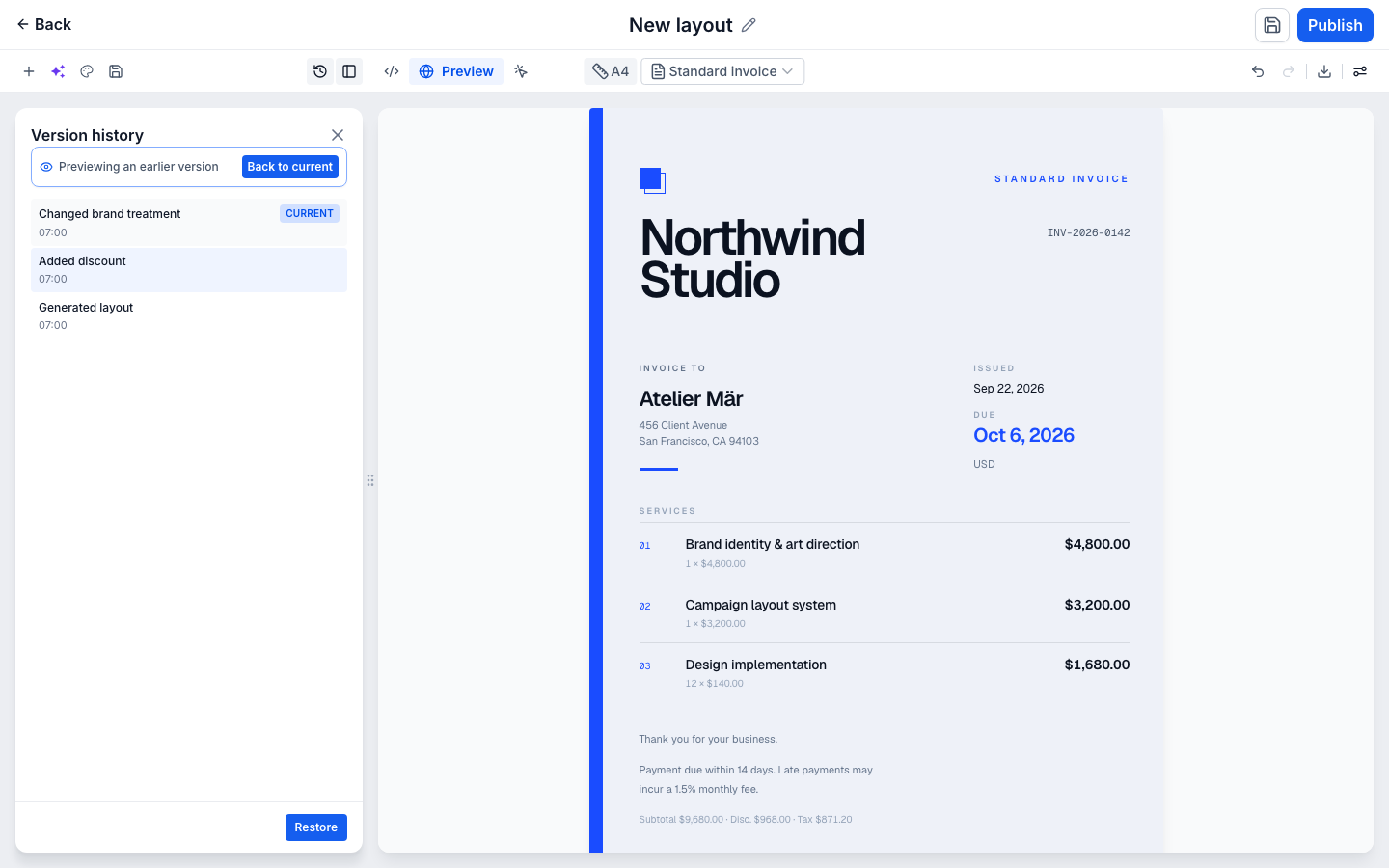
Previewing an earlier version leaves the current document on screen. Restore is the separate, explicit action that replaces it.
Code
Looking at the code is not the same as taking it over
Opening Code keeps the document synchronized with the structured layout.
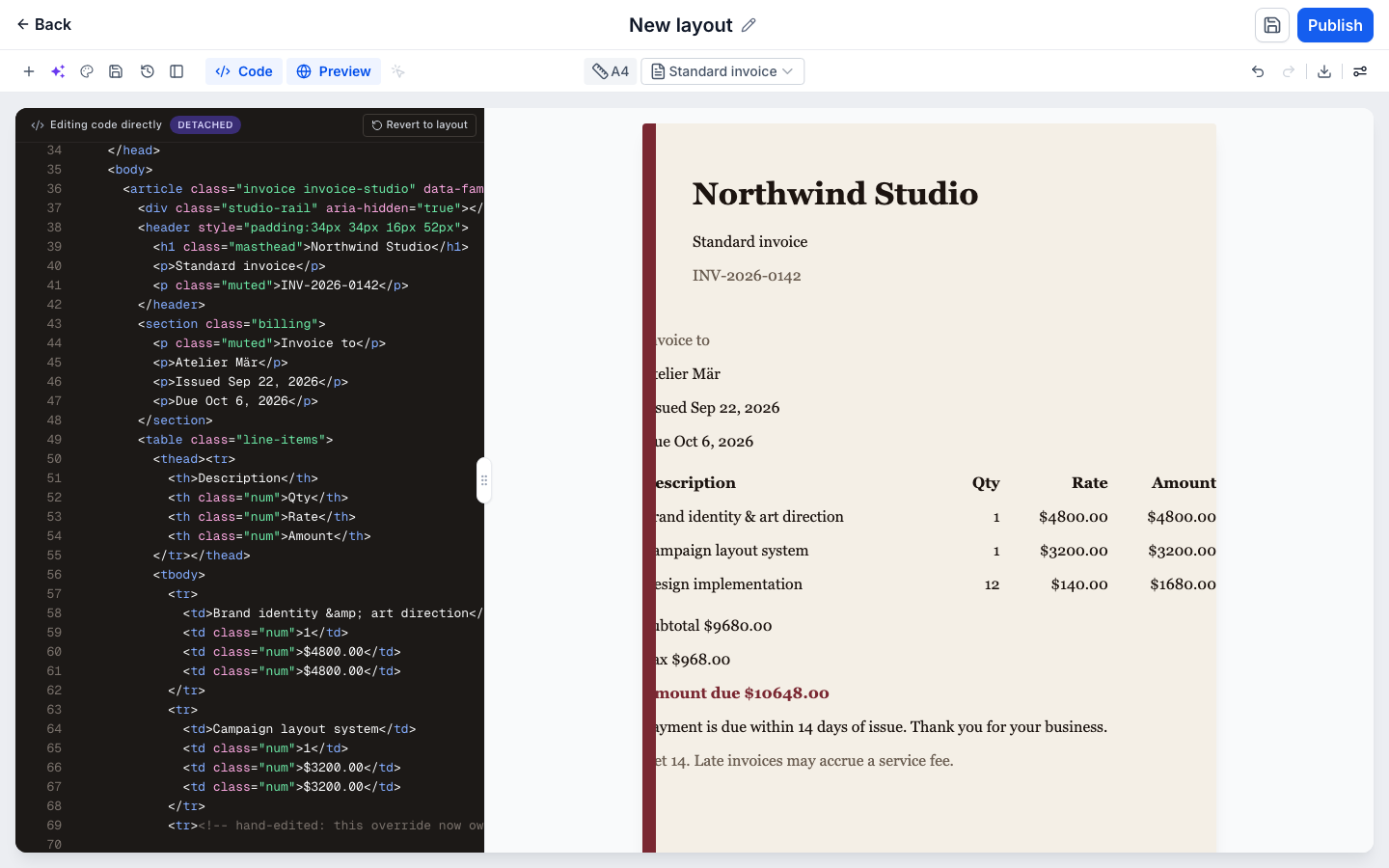
A real HTML edit changes that: the override is labelled Detached, and Revert asks for confirmation before returning to the generated layout.
The state is named, not inferred.
Opening Code changed nothing. The edit is what detached the document, and the way back is named.
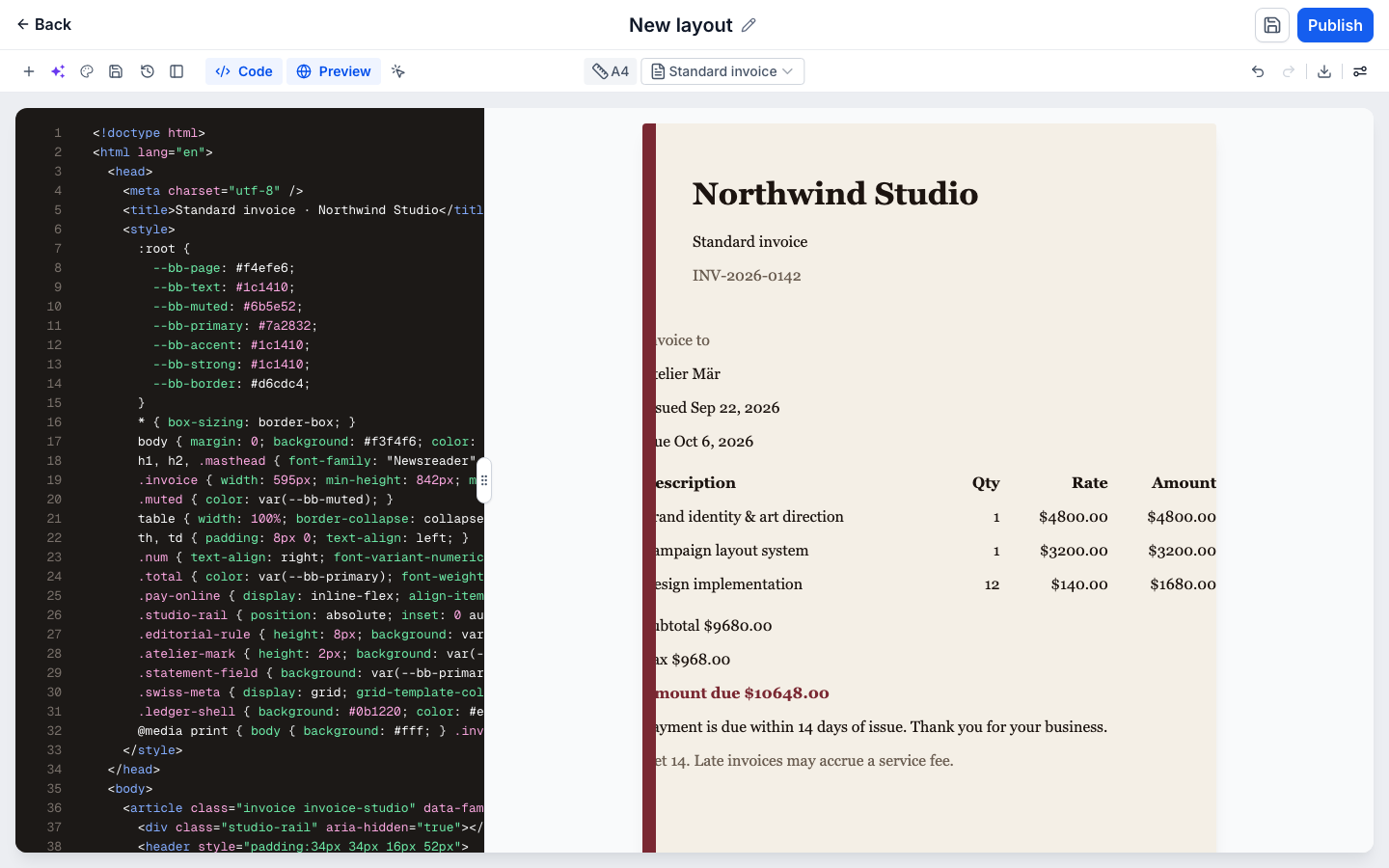
Synchronized: the preview still follows the structured document.
For a developer, the critical guarantee is knowing which model is authoritative. Synchronized means the structured document still owns the output; Detached means the edited HTML does.
I design-engineered the deployed prototype, which is why one region model drives the canvas, the inspector, the brand preview, version history and this Code view.
What the prototype demonstrates, and what launch still needs to prove
What follows separates what this prototype demonstrates from what it still needs to prove. Both matter at this stage.
What the prototype demonstrates
- A prompt, optionally paired with a selected Primary reference, can produce a native structured invoice.
- Stable regions support scoped content and style edits.
- New structure can be inserted without regenerating the document.
- Brand application, history and code operate on the same document identity.
- A code override becomes an explicit Detached state and can be reverted.
- A completed layout can be published to the prototype’s catalogue.
What launch still needs to prove
- Whether merchants find scoped editing without being told it is there.
- Whether Detached reads as a state a person owns, or as something that has gone wrong.
- Whether the region model holds beyond the invoice shown here.
- Whether merchants prefer this way of working to the one they have.
- Whether it reduces correction time or increases reuse.
- Adoption and retention.
- Collaboration, permissions and production-scale reliability.
Where the workflow ends: the finished layout, in the prototype’s catalogue.
Verification notes
- AEvery capture on this page was recorded from the deployed prototype on 22 September 2026, at 1440×900 and device pixel ratio 1, in fresh isolated browser contexts with no console errors.
- BThe main edit, brand, history, code and publication sequence follows one Northwind Studio document. The Primary-reference movement uses a separate controlled scenario.
- CHighlights are drawn over the captures at render time from rectangles measured on the live product. No screenshot has a mark written into its pixels.
- DThe product labels the override state. The synchronized state carries no badge of its own: it is the state before an override exists.
- EClips are trimmed and re-encoded from their own recordings and carry no audio. Each one was decoded end to end before being placed.
- FIn the Code frames the preview pane clips its document at the left edge. That is the product’s own rendering — the preview iframe lays the document out wider than the pane and cannot be scrolled back from outside it — not a crop applied here.
The prototype is live today.
The next milestone is HighLevel Labs at HighLevel LevelUp, where the questions above can be put in front of real merchant workflows.